
Article and Attribute Sorting
Introduction
The sorting of articles can be customized, allowing you to decide which article appears first to the customers. There is automatic sorting as well as manual sorting.
As of version 9, it is also possible for you to sort the attributes of the articles.
Automatic Article Sorting
You can adjust the criteria by which articles should be automatically sorted under System Settings → General Settings → System Configuration → Article Sorting.
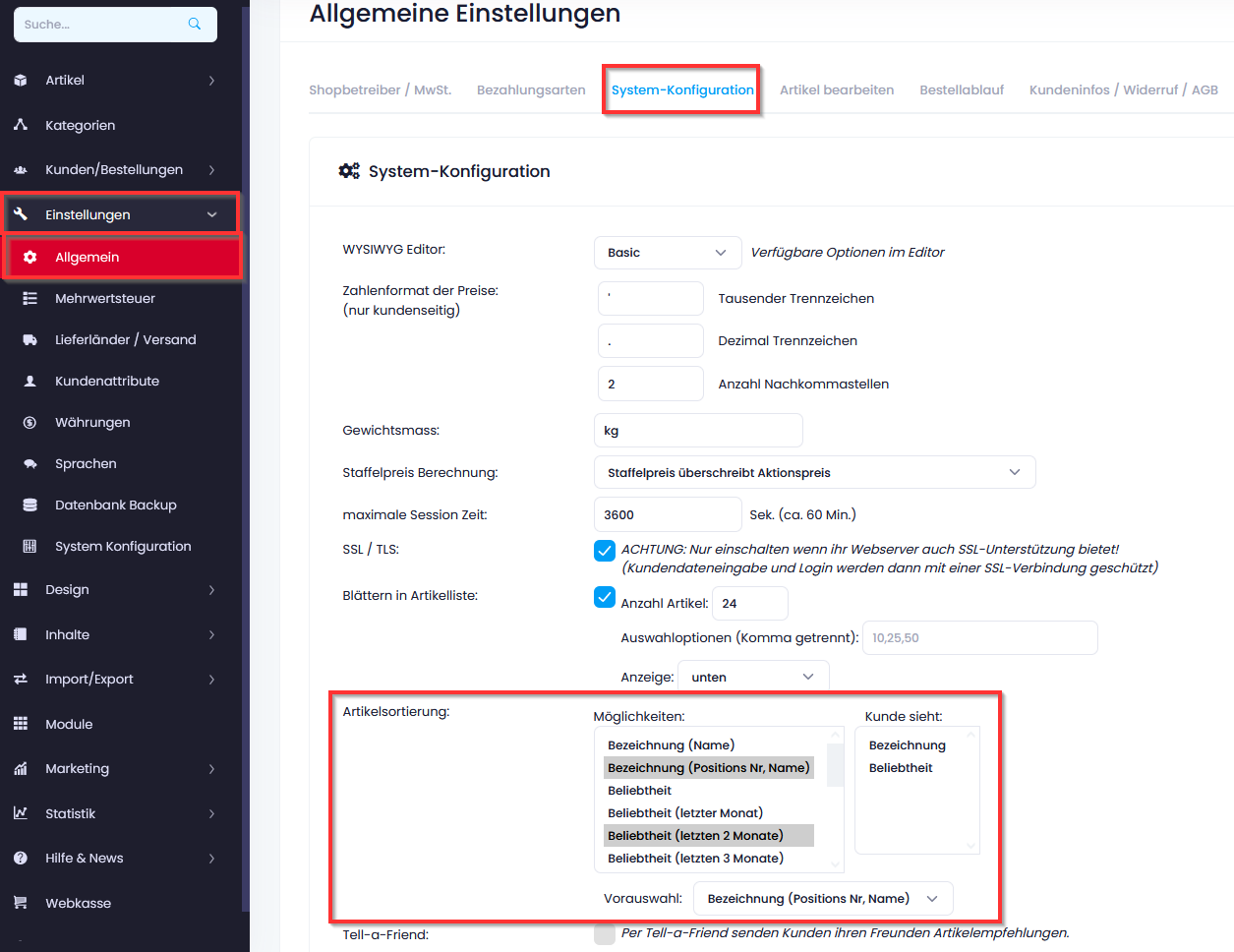
In the left column, you can select from the predefined sorting options. Hold down the Ctrl key to select multiple criteria.
The right column shows you what will be displayed to the customer.
In the pre-selection, you choose the criterion by which the articles should be sorted if nothing else is selected.
Sorting by Prioritization
Up to version 9, you can set the prioritization of the article in the article editing section; this is applied if you have selected the criterion “Designation (Position No., Name)".
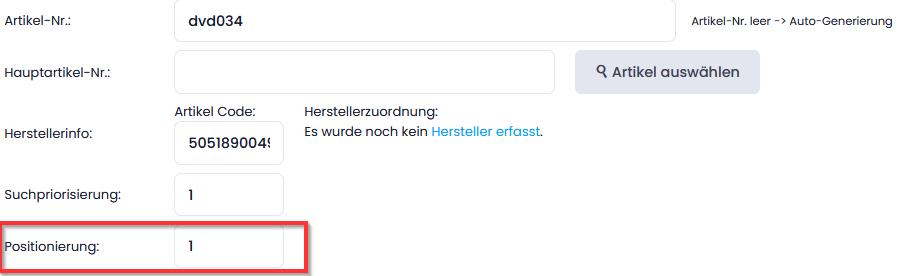
The positioning describes the importance of the article for the display in the article list. The articles in the article list can be sorted according to this positioning. A whole number must be specified. The lower the number, the higher the priority. The number 1 has the highest priority, 9 is normal, and larger values describe less prioritized articles.
This setting can also be made under Articles → Bulk Mutation → Name/Parent/Pos/…
Manual Article Sorting
This function is available in version 9 and overrides the positioning for articles (described above). As described above, you must select “Designation (Position No., Name)” as the article sorting method. And “Designation (Position No., Name)” must also be selected in the pre-selection.
Under Articles → Article Sorting, you can select the desired category and drag and drop the articles into the correct order. To do this, click on the small squares to the left of the article image, hold the mouse button, and drag the article to the desired position.
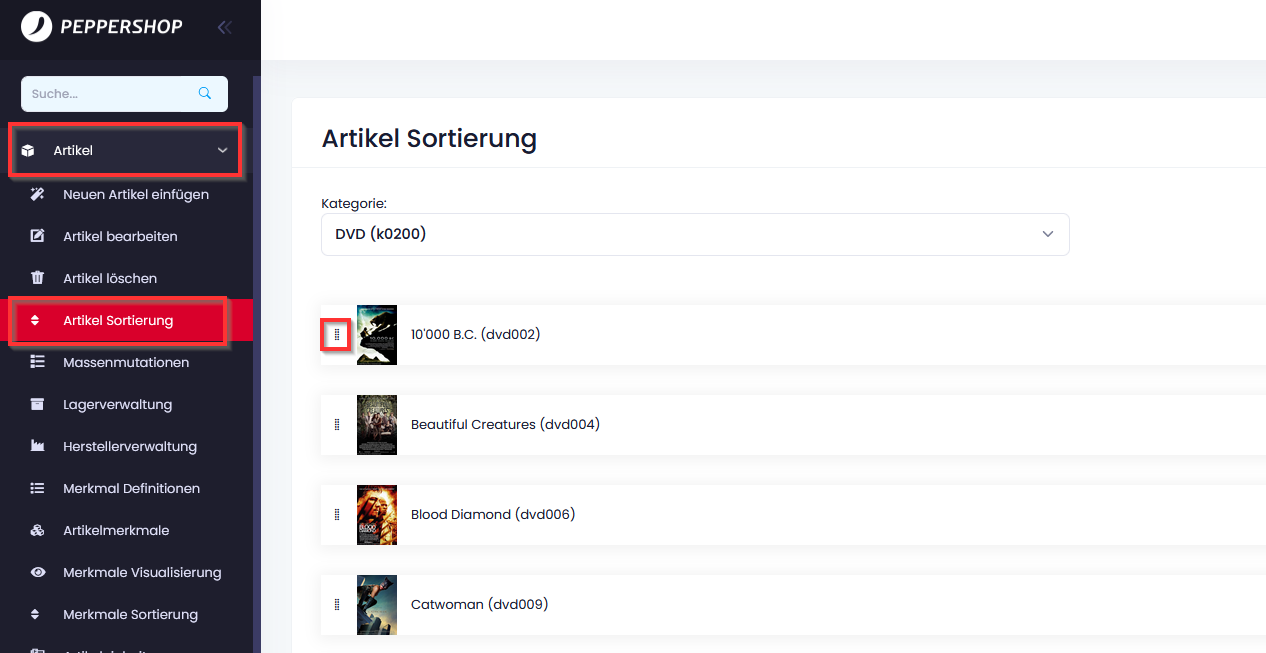
This sorting is taken into account for multi-variants, displays of attributes for articles, and for article filters.
Manual Attribute Sorting
If you have the Article Attribute Module, you can record attributes for your articles. As of version 9, you can set the order of these attributes yourself.
To do this, go to Articles → Attribute Sorting in the shop administration. Here you will find your defined attribute definitions:
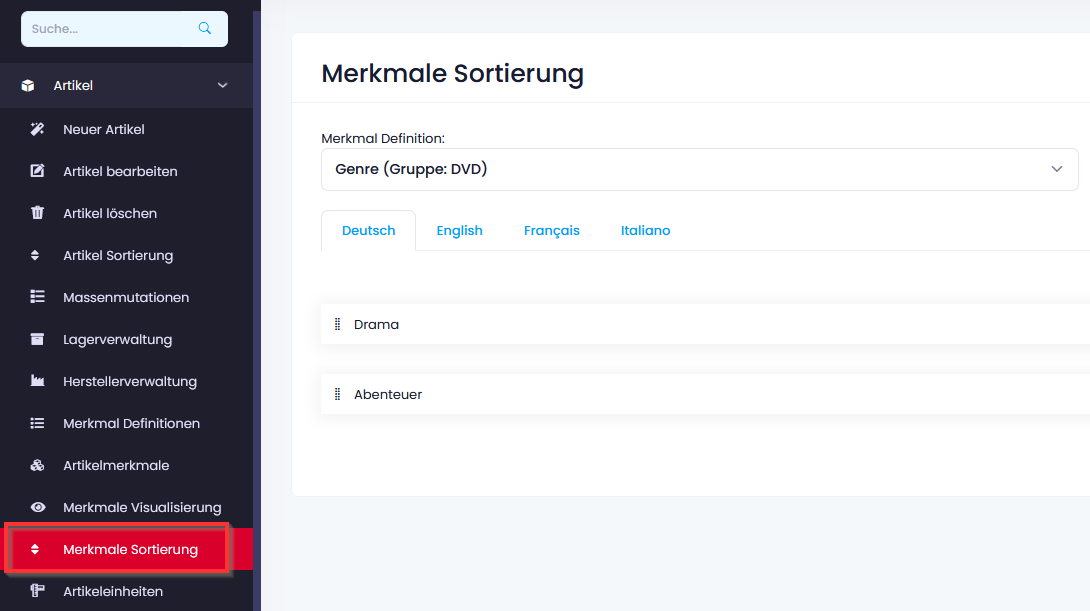
Click and hold the mouse button to change the attribute order. The order defined here will then also be displayed to the customer.
Further Help
Do you have questions or need support? Do you have special requirements or would you like an individual solution for your system? Our support team will be happy to help you. Support services are charged according to effort at CHF 195.- / hour. How to reach us:
Email: support@glarotech.ch Phone: +41 (0)71 923 08 58 Opening hours: Monday – Friday I 08:00h – 12:00h I 13:30h – 17:00h
Other useful pages
- FAQ (Frequently Asked Questions)
- Modules & Functions
- Interfaces