
Cross-Selling
Introduction
In PepperShop, you can determine cross-selling items manually or automatically.
Manual cross-selling with option items describes the functionality of an accessory item: “For this item, we recommend the following items …". This function is free of charge and included as standard in all versions.
Automatic cross-selling is a module that works according to the following scheme: “Other customers who bought this item also bought the following items…". With the cross-selling module, the online shop automatically evaluates which combination of shop items are frequently purchased together.
Manual Cross-Selling
In the shop administration under Items → Bulk Mutations, you have the option to record option items; you can also do this in the item editing section.
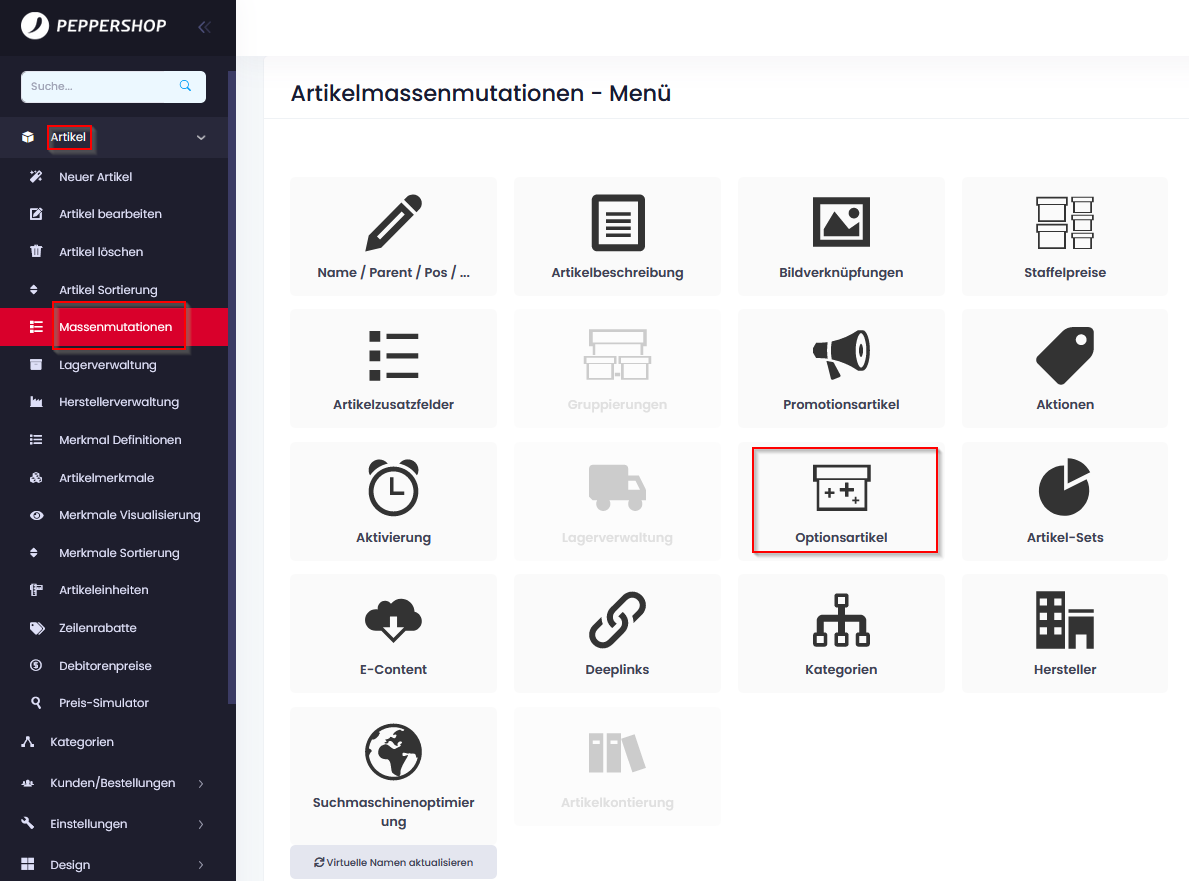
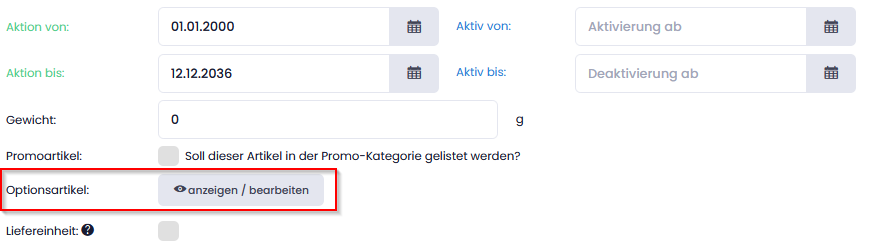
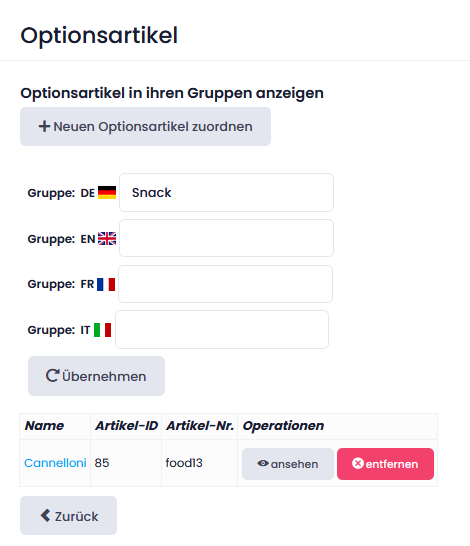
Both paths lead you to the possibility of assigning new option items. Simply click on the “Assign new option item” button and select the desired item. You can now also create different groups.
Automatic Cross-Selling
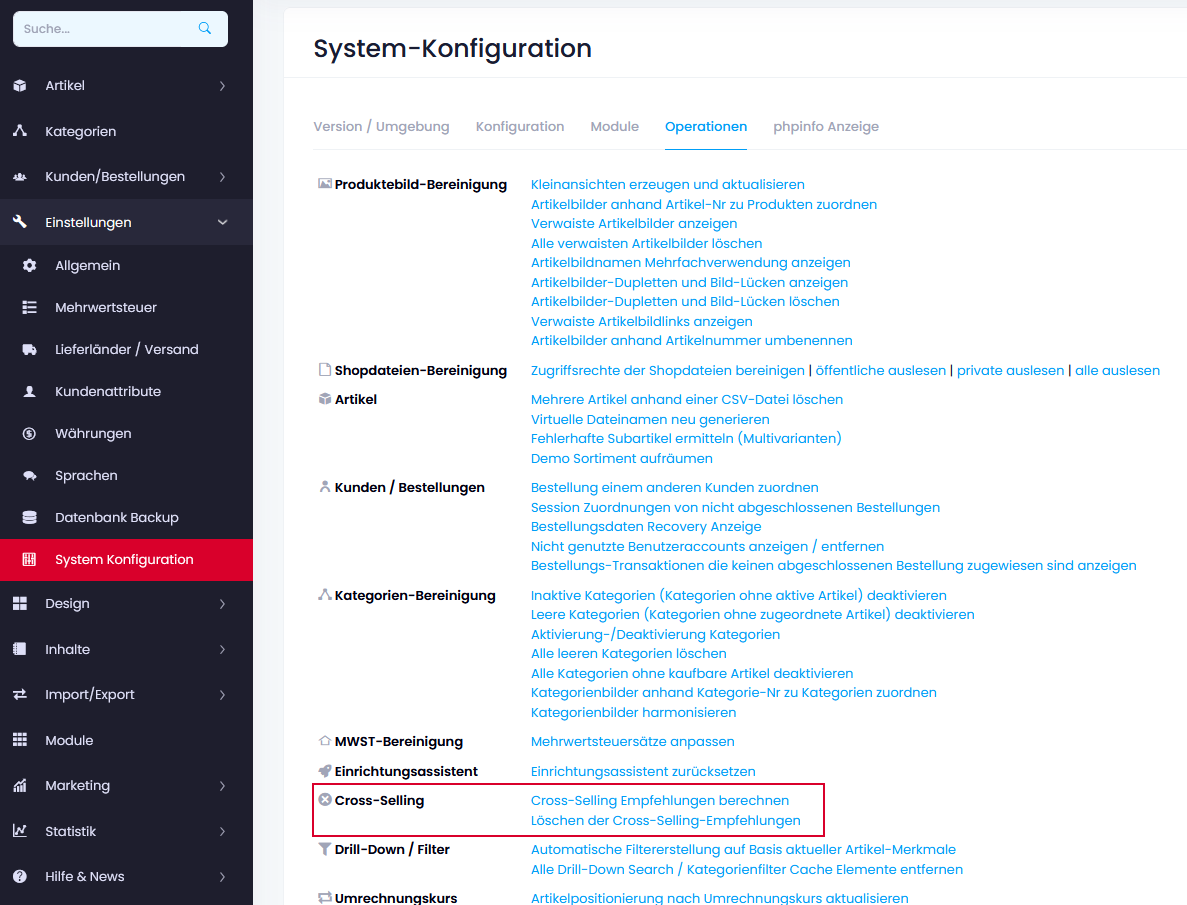
In the shop administration, under Settings → System Configuration → Operations → you will find the “Cross-Selling” section with the following options:
- Calculate cross-selling recommendations All orders are evaluated and the purchase recommendations are determined from them. This functionality must be called up after installing the module if orders have already been placed in the shop.
- Delete cross-selling recommendations All purchase recommendations are deleted.
The purchase recommendations are updated with every completed order and displayed immediately with the purchased items (Customers who bought this item also bought).
Settings
Under Settings - General - System Configuration, you can also determine for both variants whether:
- Items linked via cross-selling can be placed directly into the shopping cart.
- Linked option items should be displayed when adding an item to the shopping cart.
Further Help
Do you have questions or need support? Do you have special requirements or would you like a customized solution for your system? Our support team will be happy to help you. Support services are charged according to effort at CHF 195.- / hour. You can reach us as follows:
Email: support@glarotech.ch Phone: +41 (0)71 923 08 58 Opening hours: Monday – Friday I 08:00h – 12:00h I 13:30h – 17:00h
Other useful pages
- FAQ (Frequently Asked Questions)
- Modules & Functions
- Interfaces