
Product Comparison
Introduction
What is the Product Comparison module? Do you want to offer your customers the possibility to compare products easily and clearly? Then this module is exactly what you have been looking for.
With this module, your customers can make decisions more easily and view and compare the most important information.
Configuration
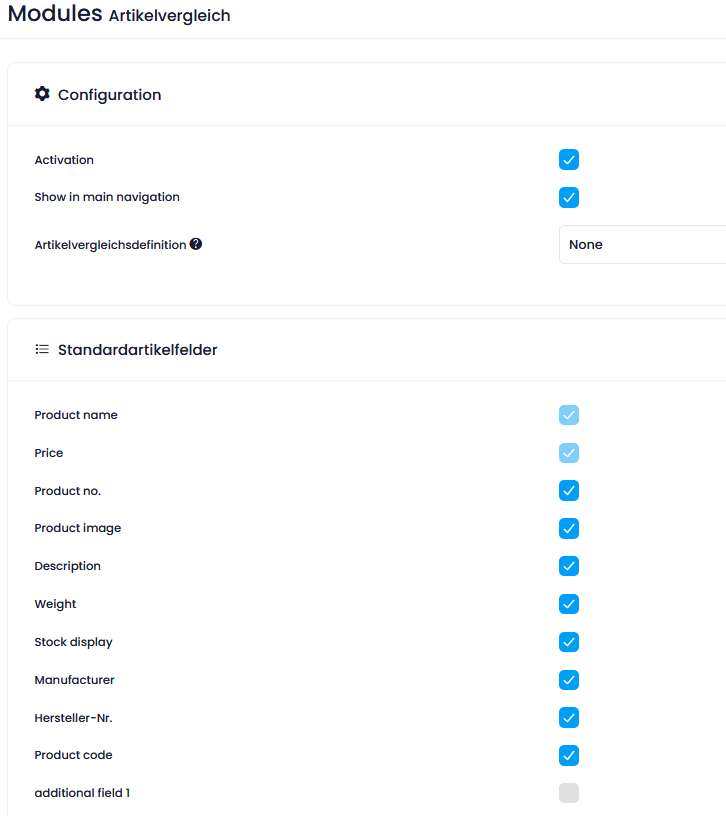
After installing the module, you can proceed with the configuration. The following fields must be taken into account.
- Show in main navigation: Please note that if you wish to configure it this way or remove it, you must always clear the content cache in the shop and reload the browser, otherwise no change will be visible. You can completely clear the content cache in the shop under > Version (top right) > Operations > Clear content cache (xy entries).
- Product comparison definition: This option determines which feature definition is used for the product comparison group. This means that if you have defined feature definitions, you can select them here; they will then be displayed in the comparison window.
Standard product fields
Here you can select all fields that should be displayed in the window for the product comparison. Depending on your needs, you can also specify additional fields for certain products.
How to compare multiple products?
Below we show you step-by-step how to compare two or more products.
1.
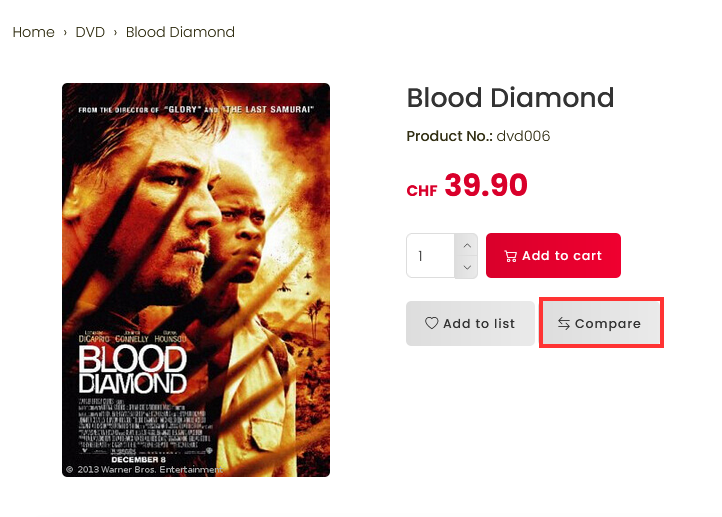
Select 2 products you want to compare and add them to the comparison list by pressing the “Compare” button.
2.
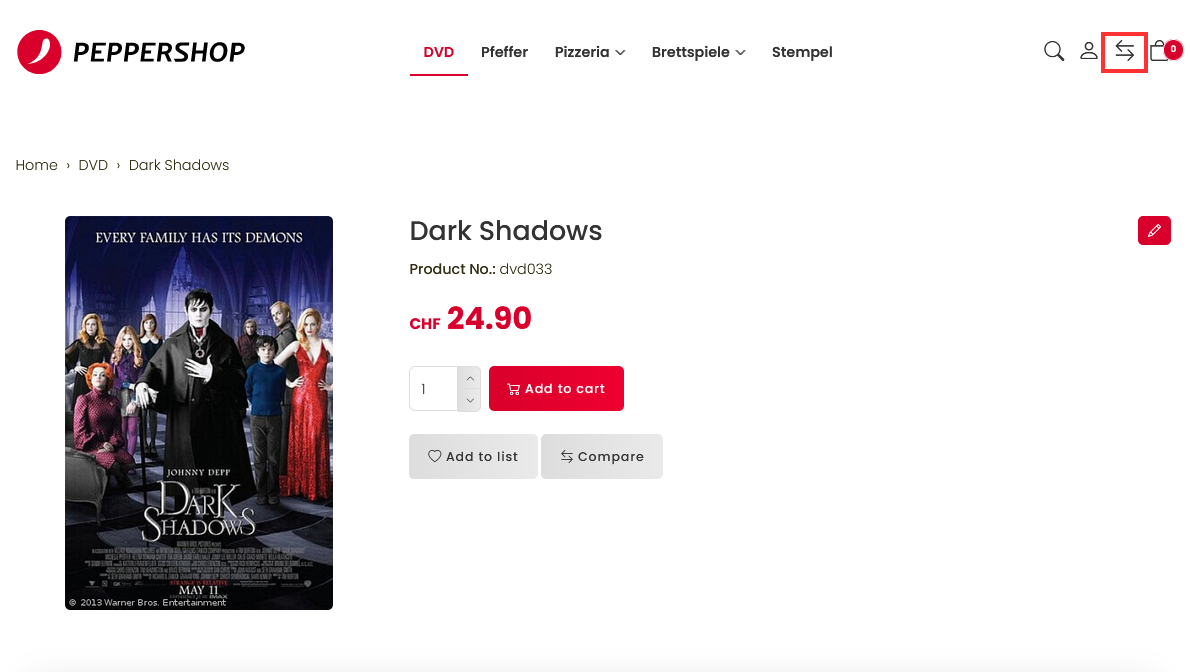
Now you can press the Compare icon in the upper right corner to go to the comparison overview.
3.
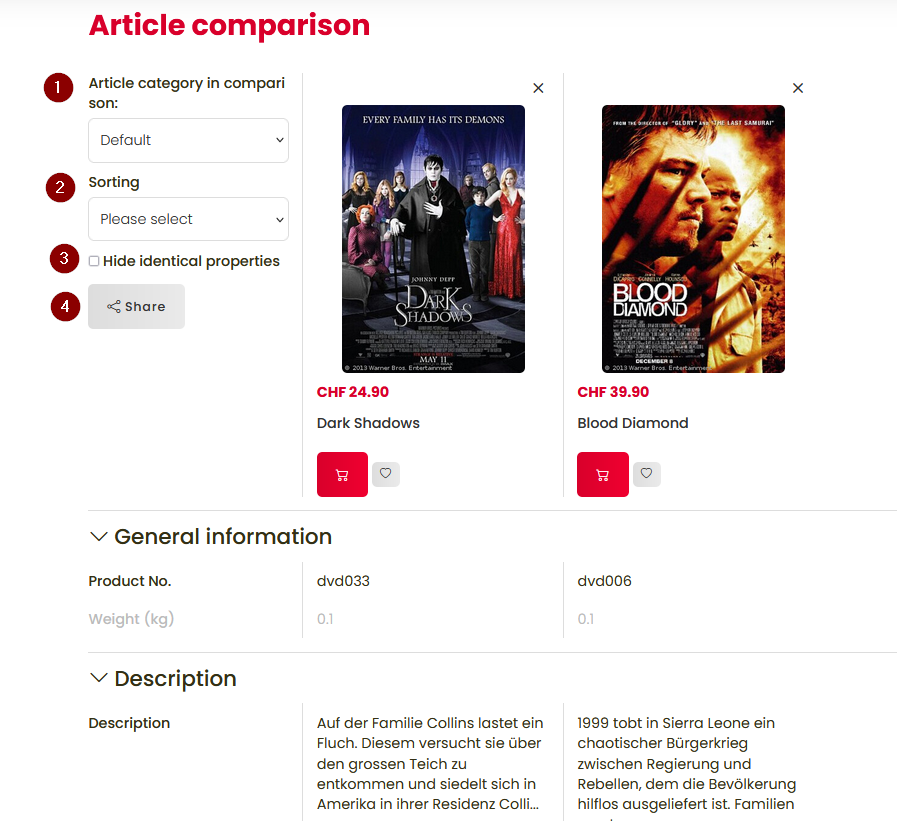
- Product category in comparison: Here you can accept the default settings, which display all products in the comparison list. However, you can also filter here by the feature definitions you previously created.
- Sorting: In the sorting drop-down list, you can sort by lowest price, highest price, and popularity.
- Hide identical properties: You can enable or disable this function here.
- Share: If you click on the share icon, a link for sharing will be displayed. You can then copy this and share it on your social media.
Further Help
Do you have questions or need assistance? Do you have special requirements or desire a custom solution for your system? Our support team is happy to help. Support services are charged based on time and material at CHF 195.- / hour. Here is how to reach us:
- Email: support@glarotech.ch
- Phone: +41 (0)71 923 08 58
- Opening Hours: Monday – Friday I 8:00 a.m. – 12:00 p.m. I 1:30 p.m. – 5:00 p.m.
Other Useful Pages
- FAQ (Frequently Asked Questions)
- Modules & Functions
- Interfaces